

The dramatic shift to remote work has transformed how OSHA approaches workplace safety, extending beyond traditional office environments into employees’ homes. As organizations navigate this new frontier, safety compliance has become both more complex and more critical. Recent studies show that 58% of remote workers experience musculoskeletal issues, while 76% report increased stress levels related to their home office setup. OSHA’s guidelines now encompass ergonomic requirements, mental health considerations, and digital safety protocols specifically designed for the remote workforce. For Alberta employers and remote workers, understanding and implementing these safety standards isn’t just about compliance—it’s about creating sustainable, healthy work environments that protect both physical and psychological well-being. Whether you’re managing a remote team or working from home yourself, mastering OSHA’s remote work guidelines is essential for maintaining productivity while ensuring workplace safety in this evolving landscape.
Setting Up Your Home Office Safely
Ergonomic Workstation Essentials
Creating a comfortable and safe workstation is essential for your well-being as a remote worker. Start with an adjustable chair that supports proper posture – your feet should rest flat on the floor, and your thighs should be parallel to the ground. The chair should provide good lumbar support and allow your elbows to rest comfortably at a 90-degree angle when typing.
Position your desk at a height where your forearms are level with your keyboard. Your monitor should be arm’s length away, with the top of the screen at or slightly below eye level to prevent neck strain. Consider using a monitor stand or laptop riser to achieve the correct height.
Essential equipment includes a full-sized keyboard and mouse to reduce wrist strain. If you frequently make calls, invest in a quality headset to avoid neck tension from cradling a phone. Good lighting is crucial – position your workstation where natural light won’t cause screen glare, and use task lighting to reduce eye strain.
Remember to keep frequently used items within easy reach to avoid awkward stretching or twisting movements. Consider using a document holder if you regularly reference physical materials.

Lighting and Visual Comfort
Proper lighting and screen positioning are crucial elements for remote workers to maintain eye health and prevent fatigue. Natural light is ideal, but if that’s not possible, ensure your workspace has adequate overhead lighting supplemented by task lighting to reduce eye strain. Avoid placing your workstation directly in front of or behind windows to prevent glare and harsh shadows.
Position your computer monitor at arm’s length (about 20-28 inches) from your eyes and slightly below eye level. The top of the screen should be at or slightly below eye level to maintain proper neck positioning. Adjust your screen brightness to match your surrounding environment – it shouldn’t look like a light source in the room.
To reduce eye fatigue, follow the 20-20-20 rule: every 20 minutes, take a 20-second break and look at something 20 feet away. Consider using blue light filtering settings or glasses if you work long hours at the computer. Keep your screen clean and free from dust to maintain optimal visibility and reduce eye strain.
If you’re using multiple monitors, position them at equal distances and heights, with the primary screen directly in front of you and secondary screens at a slight angle.
Preventing Physical Health Risks

Movement and Exercise Integration
Regular movement is crucial for remote workers’ health and productivity. While OSHA guidelines emphasize workplace safety, incorporating physical activity into your workday is equally important. Start by learning effective strategies for staying active at your desk, such as doing simple stretches or using a standing desk.
Set movement reminders every hour to stand up, walk around, or do basic exercises. Try desk-friendly movements like shoulder rolls, ankle rotations, and seated leg raises. Consider using resistance bands or small weights for quick strength-training breaks between tasks.
Make the most of your breaks by taking short walks around your home or neighborhood. If weather permits, step outside for fresh air and natural light exposure. Create a dedicated space for quick exercises, even if it’s just enough room for a yoga mat.
Virtual fitness breaks can be motivating – join online workout sessions during lunch hours or schedule movement breaks with remote colleagues. Many Albertans find success with the “Pomodoro technique,” working for 25 minutes followed by a 5-minute activity break.
Remember to maintain proper posture while exercising and listen to your body’s signals. Start gradually and build up your activity level over time. These small movement integrations can significantly impact your overall well-being while working remotely.
Injury Prevention Strategies
Working from home shouldn’t mean compromising your physical well-being. To prevent repetitive strain injuries, start by setting up your workspace with ergonomic principles in mind. Position your monitor at arm’s length and eye level, and ensure your keyboard allows your wrists to remain straight while typing.
Take regular movement breaks every 30-45 minutes. Simple stretches like shoulder rolls, wrist flexes, and neck rotations can help prevent muscle tension. Consider using the 20-20-20 rule: every 20 minutes, look at something 20 feet away for 20 seconds to reduce eye strain.
Invest in quality equipment that supports good posture. A chair with proper lumbar support and adjustable height is essential. If you’re using a laptop, consider a separate keyboard and mouse to maintain better arm positioning.
Establish a routine that includes micro-breaks for movement. Set reminders on your phone or use apps that prompt you to stretch. Alternative working positions, like standing for short periods, can help reduce the strain of sitting all day.
Remember to maintain proper lighting to prevent eye fatigue. Natural light is best, but ensure there’s no glare on your screen. If you’re experiencing any discomfort, don’t wait for it to become serious – adjust your setup immediately and consult with your supervisor about ergonomic solutions.
Mental Health and Work-Life Balance
Setting Healthy Boundaries
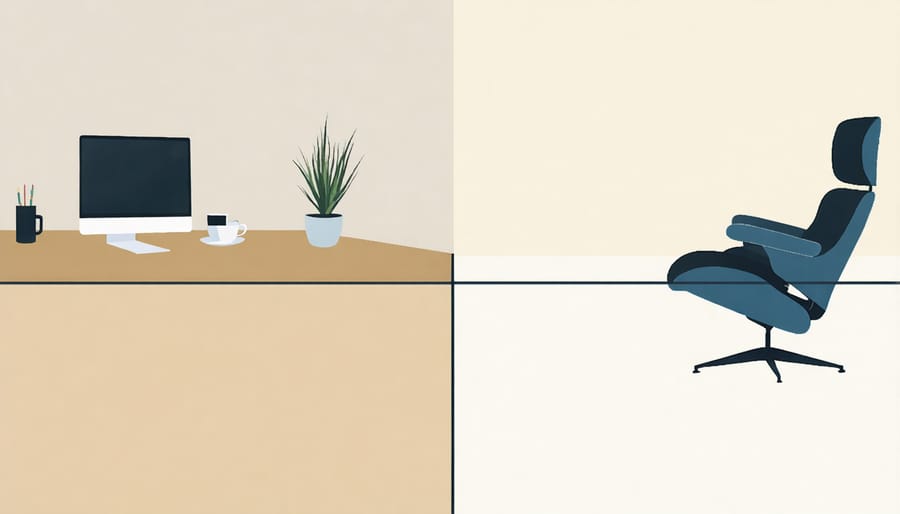
When working from home, establishing clear boundaries is essential for maintaining your wellbeing and the benefits of work-life balance. Start by designating a specific workspace that’s separate from your living areas. This physical separation helps your brain transition between “work mode” and “home mode.”
Set consistent working hours and communicate them to both your family and colleagues. Create morning and evening routines that signal the beginning and end of your workday, such as changing clothes, taking a short walk, or tidying your workspace.
Turn off work notifications outside of business hours and resist the urge to check emails during personal time. If possible, use separate devices or profiles for work and personal activities.
Remember to take regular breaks throughout the day, just as you would in an office setting. Step away from your workspace during lunch breaks to create mental distance from work responsibilities. These boundaries not only protect your personal time but also help maintain productivity and prevent burnout while working remotely.
Stress Management Techniques
Remote work can present unique mental health challenges, making it essential to focus on managing workplace stress effectively. Start by establishing clear boundaries between work and personal life by creating a dedicated workspace and maintaining regular working hours. Practice the “5-5-5” technique: take five deep breaths, identify five things you can see, and stretch for five minutes when feeling overwhelmed.
Schedule regular breaks using the Pomodoro technique – work for 25 minutes, then take a 5-minute break. Stay connected with colleagues through virtual coffee chats or team check-ins to combat isolation. Consider adopting mindfulness practices like meditation or gentle stretching between tasks.
Set realistic daily goals and celebrate small achievements. If you’re feeling stressed, try the “brain dump” method by writing down all your concerns, then categorizing them into “actionable” and “non-actionable” items. Remember to maintain regular physical activity, even if it’s just a short walk during lunch break, as movement helps reduce stress and improve mental clarity.
Emergency Preparedness at Home
Working from home requires a well-thought-out emergency preparedness plan. Start by creating a designated workspace with clear evacuation routes and ensuring all safety equipment is readily accessible. Keep a basic first aid kit within reach, and post emergency contact numbers where they’re easily visible.
Install smoke detectors and carbon monoxide monitors in your home office area, checking batteries monthly. Have a fire extinguisher nearby and learn how to use it properly. Create an emergency evacuation plan and practice it with family members to ensure everyone knows what to do in case of fire or other emergencies.
Consider potential hazards specific to your region, such as severe weather events common in Alberta. Keep emergency supplies including flashlights, batteries, and a battery-powered radio. Have a backup power source for essential equipment and maintain an emergency contact list including local authorities, utility companies, and your employer’s emergency numbers.
Store important work documents both digitally and in a waterproof container. Establish a communication protocol with your supervisor for emergency situations, including alternative ways to stay in touch if primary communication methods fail. Remember to keep your mobile devices charged and have a backup internet solution ready.
Make sure your home insurance policy covers your work equipment and review your employer’s emergency procedures for remote workers. Regular safety checks of your workspace will help identify and address potential hazards before they become emergencies.
As we’ve explored throughout this guide, ensuring the safety and well-being of remote workers is not just a legal requirement but a crucial investment in your workforce’s health and productivity. By implementing proper ergonomic setups, maintaining regular communication channels, and establishing clear safety protocols, employers can create a secure remote work environment that benefits everyone.
Remember that workplace safety extends beyond physical considerations to include mental health and work-life balance. Take proactive steps to assess home office hazards, provide necessary equipment and training, and regularly check in with your remote team members. Document all safety measures and keep records of workplace assessments and incident reports, even in remote settings.
For Alberta employers and workers, staying compliant with OSHA guidelines while working remotely doesn’t have to be overwhelming. Start with the basics, gradually implement more comprehensive safety measures, and maintain open dialogue about workplace safety concerns. By prioritizing these safety practices, you’re not just meeting regulatory requirements – you’re building a stronger, healthier, and more resilient remote workforce for the future.